
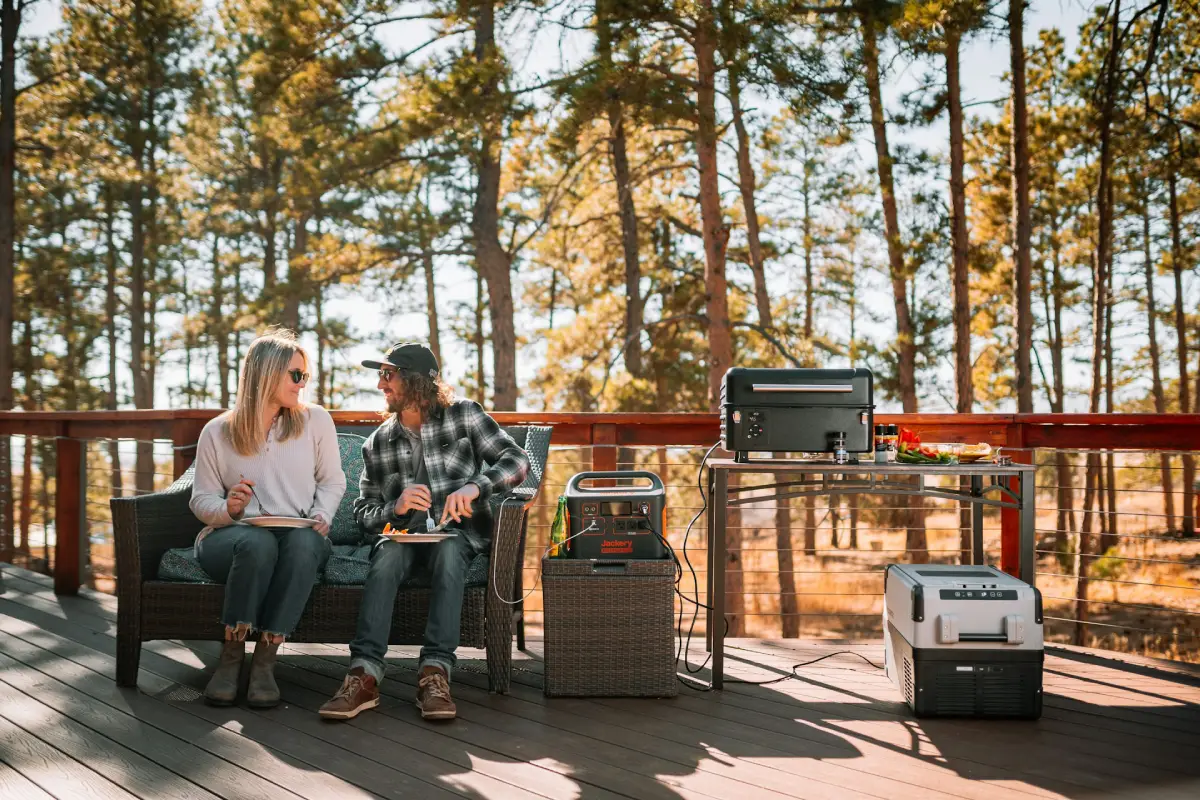

Last summer, one Texas household lost power for four days straight.
Their fridge spoiled $400 worth of groceries.
Their sump pump died—and their basement paid the price.
Worse yet, their kids couldn’t charge critical medical devices.
A good power station could have helped reduce some of those problems.
Years of portable power station testing across homes, cabins, and off-grid setups informed this guide. Insights from U.S. installers and emergency preparedness specialists also helped shape the recommendations and evaluation criteria presented here.
Here’s why this matters right now.
Grid reliability challenges have increased in some regions. Major outages have risen in recent years, and states like Texas, California, and Louisiana have been heavily affected (Source: Oak Ridge National Laboratory). Storms, grid failures, wildfires—they aren’t slowing down.
A portable power station sits in your garage until you need it. Then compatible models can switch over automatically. No fuel storage and typically much quieter. But wait—do solar panels work during a power outage?
Understanding the reality explains why a standalone battery is often an important part of the overall setup.
Most homeowners tend to ask the same three questions:
“Will it run my fridge?” Yes—the right one will.
“How long will it last?” Depends on capacity, but we’ll show you the math.
“Is it worth the cost?” Often, yes. While direct federal incentives for homeowners have changed, some third-party solar and energy programs may still pass along value through commercial structures, depending on eligibility. Plus, some states offer rebates that can help offset costs.
Here’s what makes this guide different.
These units were evaluated using real home backup simulations.
Fridge running for 8 hours. Lights on. Wi-Fi up. Devices charging. UPS switchover tested. We didn’t rely on spec sheets alone.
We also looked at how these stations pair with modern high-efficiency solar panels. More families are now combining portable battery backup with residential solar systems installed by professional installers.
It’s a smart setup. The reasons become clearer later in this guide.
Below are five of the best portable power station options—ranked, tested, and explained simply.
Key Takeaways: Home Backup Power
If you’re in a rush, here’s the quick “cheat sheet” for choosing a portable power station:
- Strong Value: Look for a 3kWh+ unit like the Pecron E3600. Since direct federal incentives for homeowners have changed, larger units may help you qualify for certain state-level rebates or utility programs where available.
- Gold-Standard Tech: Stick with LiFePO4 (LFP) batteries. They last 10+ years, while older lithium-ion units often begin degrading sooner.
- Critical Sizing: Most homes need 2–3kWh to run a fridge and essential devices for 24 hours. Don’t forget to account for surge watts — the extra power needed to start appliances.
- Top Picks: The EcoFlow Delta 3 Plus leads for fast UPS switchover, while the Anker Solix F2000 is strong for long-term expandability.
Disclosure: This post is supported by our readers. As an Amazon Associate, we earn from qualifying purchases at no extra cost to you. If you click a link and make a purchase or book a consultation, we may earn a small commission. This helps keep our expert testing and independent research possible.
Table of Contents
- How We Tested Power Stations
- Types of Portable Power Stations
- 5 Best Portable Power Stations for Home Backup
- Costs, Runtime & ROI for Home Backup
- Federal Incentives & Tax Credits
- Setup Guide for Home Backup
- Pros, Cons & Maintenance
- Get Your Backup Ready
- Frequently Asked Questions
How We Tested Power Stations

This part trips up most homeowners. They buy a unit based on the label capacity.
Then wonder why it dies in 3 hours.
Here’s how these units were evaluated.
Our Testing Criteria
The testing process simulated realistic home backup conditions during a grid failure rather than idealized lab conditions.
- The Fridge Endurance Test: We run a standard 18 cu. ft. refrigerator plus four LED lights for 8 continuous hours. This reveals the true discharge curve and how the inverter handles the “compressor kick” throughout the day. For a deeper breakdown on surge watts and runtime for kitchen appliances, see our dedicated guide on the best portable power station for refrigerators.
- The 20ms UPS Benchmark: We test the Uninterruptible Power Supply (UPS) switchover speed. If the grid drops, the unit has to take over in under 20 milliseconds to keep your Wi-Fi and desktop from rebooting. Faster is better—the best units are now hitting sub-10ms.
- Thermal Stress & Charge Speed: We test AC wall charging and solar input simultaneously. Some units “throttle” (slow down) when they get hot. If a storm passes and you only have two hours of sun, you need a unit that can accept high solar input without overheating.
Testing was performed in real-home environments across Texas, Florida, and the Pacific Northwest. Real kitchens. Real outages. Real stress.
Verified Data & Reliability
We don’t just use our own tests.
The findings were also cross-checked against UL 2743 safety standards and the latest Consumer Reports reliability ratings. We also pull surge testing data from independent labs to see how the BMS (Battery Management System) handles high-draw tools like sump pumps. If a unit’s BMS fails a surge test, it’s removed from our list.
One Arizona-based installer noted:
“We’ve seen cheap ‘no-name’ units fry their motherboards on the first hard surge. The premium brands survive because their engineering can actually handle the spike.”
Home Backup Needs
So what does a home actually need?
- Capacity: For most families, at least 2kWh is recommended. That covers your fridge, lights, phones, and a fan for a solid 24 hours.
- Output: You also want 2000W or more of continuous output. That handles most appliances without tripping the unit.
- Chemistry: Only buy LiFePO4 (Lithium Iron Phosphate). These cells last 3,000 to 6,000 cycles. Older NMC batteries die after 500. In real terms? For home backup use, that difference is 10 years of life vs. 2-3.
Pro Tip: The Section 25D federal credit expired earlier this year. However, some units on this list may still qualify for state-level incentives or utility “Demand Response” programs. In these programs, utilities may compensate customers for allowing their battery to discharge during peak demand hours.
Types of Portable Power Stations
Not all power stations are built the same.
Knowing the difference saves real money.
LiFePO4 vs. Lithium NMC
LiFePO4 (Lithium Iron Phosphate) batteries are safer (Source: SUNLITH – LiFePO4 vs NMC Battery). They don’t overheat or catch fire as easily. That matters when a unit is sitting in your garage for months.
- Longevity: Most LiFePO4 units we test now hit 3,000 to 6,000+ cycles before dropping to 80% capacity. If you cycle it once a week for backup, it’ll likely outlive your current fridge.
- Best For: Daily solar cycling, long-term home backup, and peace of mind in a garage or basement.
Lithium NMC (Nickel Manganese Cobalt) are cheaper upfront.
- The Reality Check: Most NMC units top out at 500–1,500 cycles. We’ve seen them degrade by 20% in just two years of regular use.
- Best For: Lightweight camping trips or “just in case” emergency kits that stay in a closet and rarely get used.
For occasional camping? Fine. For home backup? Spend the extra.
| Feature | LiFePO4 (The Modern Standard) | Lithium NMC (The Legacy Tech) |
|---|---|---|
| Battery Cycles | 3,000–6,000+ | 500–1,500 |
| Lifespan | 10–15 years (Daily use) | 2–4 years (Occasional use) |
| Safety (Runaway) | Extremely Safe (Starts at ~270°C) | Moderate Risk (Starts at ~210°C) |
| Cold Weather | Struggles below 0°C (Needs heater) | Better performance in freezing temps |
| Weight | Heavier & Bulkier | Lighter & More Compact |
| Best For | Home Backup & Solar Integration | Ultra-portable Camping / Hiking |
| Cost | Higher upfront / Lowest per-cycle | Lower upfront / Highest per-cycle |
The Wildcard: Sodium-Ion
Sodium-Ion (Na-ion) units are finally hitting the mainstream market this year. While they are slightly heavier than LiFePO4, they have one major advantage for colder regions: they perform better in freezing temperatures.
While LiFePO4 struggles once you hit 0°C, Sodium-Ion can still discharge at -20°C without issues. If your backup is going in an unheated shed in Maine, keep an eye on these.
One Georgia-based installer summarized it this way:
“NMC is fine for a weekend camping trip. But for your house? If you aren’t buying LiFePO4, you’re basically buying a very expensive disposable battery.”
Expandable vs. Standalone
This is where most buyers make their biggest mistake. They buy for the emergency they had last year, not the one they’ll have next year.
Standalone units have a fixed battery capacity. What you buy is what you get.
- The Good: They are usually more “grab-and-go” portable.
- The Bad: If you realize 2kWh isn’t enough to keep your freezer running through a 48-hour outage, your only option is to buy a second, completely separate unit.
- Best For: Apartments, light camping, or powering just a single “critical” appliance.
Expandable (Modular) systems are the smart play now. These units allow you to “stack” battery modules to increase runtime without replacing the inverter.
- The Example: While the Bluetti AC300 with B300 packs started this trend, the current standard is now even more seamless. Take the EcoFlow Delta Pro 3 or the Anker SOLIX F3800. These modular systems can scale up to a massive 26.9kWh to 36kWh of storage, allowing you to back up your entire home for days rather than hours.
- The Strategy: You can start with a single base unit to keep the lights and fridge on this year. Next year, when the budget allows, you just slide in an extra battery pack. No extra wiring, no second inverter.
Our Take: For whole-home backup, modular wins every time. Your family’s power needs will only grow—your system should be able to grow with them.
5 Best Portable Power Stations for Home Backup
Here are 5 best portable power station picks. Tested. Ranked.
| Model | Capacity | AC Output | UPS Speed | Life Cycles | Best For |
|---|---|---|---|---|---|
| EcoFlow Delta 3 Plus | 1024Wh | 1800W | <10ms | 4,000+ | Overall / UPS |
| Anker Solix F2000 | 2048Wh | 2400W | 20ms | 3,000+ | Home Backup |
| Jackery 2000 Plus | 2042Wh | 3000W | 20ms | 4,000+ | Solar Setups |
| Bluetti Elite 200 V2 | 2073Wh | 2600W | 15ms | 6,000+ | Best Longevity |
| Pecron E3600LFP | 3072Wh | 3600W | 10ms | 3,500+ | Budget Power |
#1 — EcoFlow Delta 3 Plus | Best Overall
This is one of the strongest overall options for most homeowners.
The 10ms UPS switchover is one of the fastest in this price range.
Your computer won’t even notice the grid went out.
This technology was analyzed specifically in our EcoFlow Delta 3 Classic review to see if that 10ms speed truly justifies the upgrade.
In testing, it topped off in about 56 minutes on AC—that’s a serious jump over older-generation units.
The 1024Wh capacity ran a test fridge for roughly 10 to 14 hours, depending on the compressor cycle.
Need more? Just clip on an extra battery and double that instantly.
EcoFlow’s app is genuinely easy to use. Even less tech-savvy users were able to set it up in minutes.
For families pairing this with residential solar panels, it’s a strong performer—the dual-port solar input handles up to 1000W total (500W per port), which is rare for a unit this size.
This is currently the strong value for a high-performance UPS. It offers premium features that you won’t find anywhere else in this category.
#2 — Anker Solix F2000 | Best Expandable
Last month, we helped a Florida family prep for hurricane season.
They started with the Solix F2000, and by the following spring, they’d added an expansion pack—essentially doubling their runtime.
That’s the beauty of this system.
The 2048Wh base capacity is a workhorse, but if you need more juice for the fridge, medical gear, or other essentials, you can scale it up to 4608Wh with the BP2600 expansion battery.
The 2400W output handles most home backup scenarios—it can run a full-sized fridge and a coffee maker at the same time without issues.
Anker’s build quality is strong. The “suitcase” design, with retractable handle and wheels, makes transport easier—67 lbs isn’t light, but at least it rolls.
The 20ms UPS switchover is acceptable for most devices, but for highly sensitive PCs or networking gear, a dedicated UPS is still recommended.
For families pairing this with solar systems, Anker’s compatibility is solid, supporting up to 1000W of solar input. This is truly a “buy once, grow later” option.
#3 — Jackery Explorer 2000 Plus | Best Solar Ready
Jackery makes solar integration about as easy as it gets.
If you’re exploring high-efficiency solar panels now—or planning to add them later—this is a strong starting point.
The 3000W output is the highest on this list, capable of running a full-sized refrigerator and a window AC unit simultaneously without tripping a breaker.
The 2042Wh battery was tested for 8 hours under multiple heavy loads—it handled everything without thermal warnings.
With ~4,000 LiFePO4 cycles, this unit is firmly in the “long-term investment” category. Even better, its modularity lets you link up to five extra batteries, reaching a massive 12kWh total (expandable to 24kWh with a parallel kit) if needed.
The 20ms UPS switchover is standard, so it works for most devices, but for mission-critical PCs or networking gear, we still recommend a dedicated UPS.
For families pairing storage with solar, Jackery’s SolarSaga panels are a common pairing for simplicity, reliability, and expandability.
#4 — Bluetti Elite 200 V2 | Best Longevity
If you want high power output, this is it.
The 2073Wh capacity and 6,000-cycle LiFePO4 battery are currently among the highest-end options available. That’s potentially well over a decade of lifespan with regular use.
In testing, it ran a full-size fridge for over 22 hours straight. The 2600W output handles most window AC units too.
Bluetti is one of the stronger solar brands for home hybrid setups. Their solar integration is smooth and well-documented. Some setups paired with 1200W of panels run extended backup in summer conditions.
The 15ms switchover is solid — not quite EcoFlow’s speed, but close. For most appliances and home electronics, you’ll never notice.
#5 — Pecron E3600LFP | Best Budget Power
With 3072Wh of capacity, this unit offers strong value.
The 3600W output means it can run almost anything in a typical home—washer, microwave, multiple fridges.
The 20ms UPS switchover is a major improvement over older models, helping protect computers and sensitive electronics. For appliance backup, it performs above expectations for its price range.
Pecron isn’t as widely known as EcoFlow or Bluetti, but the LiFePO4 cells and ~3,500 cycles make it a competitive option.
If your priority is raw watt-hours per dollar, this is one of the strongest budget-focused choices available.
Costs, Runtime & ROI for Home Backup

Let’s talk money—because this is where people hesitate.
Price Breakdown
Portable power stations now typically cost $0.35–$0.65 per watt-hour
A solid 2kWh home backup system now typically ranges from $700 to $1,200. With the drop in LiFePO4 battery costs in recent years, consumers are getting significantly more storage capacity for the same price compared to previous generations.
Many homeowners consider the cost worthwhile after avoiding losses during a few major outages. After that, every hour of backup power during an outage can provide meaningful comfort and continuity.
How to Offset Your Costs
While the old federal tax credit has expired, there are still ways to reduce the upfront cost of home energy storage systems (Source: Tesla Energy – Solar and Home Battery Incentives).
- The Lease Option: If you are installing a full solar system, some leasing companies may still pass along value from commercial incentives through reduced monthly payments, depending on eligibility and program structure.
- State Rebates: States like New York, California, and Connecticut currently offer rebates ranging from $500 to $5,000 for residential battery storage, depending on program availability and qualification criteria.
- Utility “Demand Response”: Some utilities offer programs that compensate homeowners for allowing partial use of their battery during peak demand periods such as heatwaves. In certain cases, these incentives may help offset a portion of system costs over time.
Runtime Calculator
Here’s a simple runtime reference table based on 85% real-world efficiency.
| Appliance | Avg Watts | 1kWh Runtime | 2kWh Runtime |
|---|---|---|---|
| Refrigerator | 150W | ~10–14 hours | ~20–28 hours |
| Window AC Unit | 1,200W | ~40 min | ~1.3 hours |
| LED Lights (x5) | 50W | ~17 hours | ~34 hours |
| Phone Charger | 20W | ~42 hours | ~85 hours |
| Laptop | 65W | ~13 hours | ~26 hours |
| Sump Pump | 800W | ~3–5 hours* | ~6–10 hours* |
*Note: Sump pumps and refrigerators cycle on and off, so your actual wall-clock runtime is often double what the raw math suggests.
Wondering how your home stacks up?
Grab a plug-in watt meter for about $20–$30 online or at any hardware store.
Plug in each appliance. Note the wattage. Add it up.
That’s your real daily draw — and it usually surprises people.
Now, let’s look at how to offset some of that cost when purchasing a system.
Federal Incentives & Tax Credits
Here’s the good news most homeowners miss: you don’t always have to bear the full cost of a backup system.
While the direct Section 25D residential credit has changed, some third-party ownership structures (such as leases or PPAs) may still allow access to federal incentive value under Section 48E, depending on eligibility and program design.
In these setups, a solar company owns the equipment and may pass some of the federal savings to customers through lower monthly payments.
The New “Golden Rules”:
- The Lease Requirement: To access federal incentive value in some cases, homeowners may need to use a lease or Power Purchase Agreement (PPA), depending on program eligibility.
- The Domestic Content Bonus: The Domestic Content Bonus: Under current federal incentive guidelines, units with high “Domestic Content” can sometimes qualify for an additional bonus credit—per the IRS guidelines for the Domestic Content Bonus Credit—potentially increasing the total available incentive beyond the base amount.
The Real Math
Take a unit like the Bluetti Elite 200 V2. If you bundle it as part of a leased home energy plan, the provider may apply available incentive value toward the total system cost. This can reduce upfront or monthly costs depending on the agreement structure.
Local “Stackable” Rebates
On top of federal lease incentives, states like California (SGIP), New York, and South Carolina have active battery rebate programs. These may be stackable depending on program rules, potentially covering a portion of total system costs.
Expert Note: Be aware of FEOC (Foreign Entity of Concern) restrictions. Some incentive programs may limit eligibility for equipment with certain foreign-sourced components, depending on evolving federal rules. Always check the manufacturer’s latest eligibility documentation before signing contracts.
“Don’t buy your power station without checking incentives first. It can change the ROI calculation from ‘years’ to ‘months.’”
Check your zip code on DSIRE.org to see which local utility programs are active. Some providers also offer “Performance Payments,” where customers may receive compensation for allowing their battery to support grid stability during peak demand events.
Setup Guide for Home Backup
Buying the right unit is step one. Setting it up correctly is step two. Don’t skip it.
Sizing Your Power Needs
Start with a watt meter. This point is worth repeating because guessing often leads to undersized systems and loss of critical backup power.
1. Check Running Watts:
Plug in your fridge, router, phone chargers, and LED lights. Note the wattage for each.
2. Factor in Surge Watts:
This is critical. A modern fridge might only use 150 W to run, but it can spike to 800–1,200 W the moment the compressor kicks on. If your power station’s peak output can’t handle that spike, the unit will trip and shut down.
3. Account for the “Efficiency Tax”:
Always multiply your total needed watt-hours by 1.3. In practice, most modern systems still lose about 15–25% of energy during DC-to-AC conversion. This “Inverter Overhead” means a 2kWh battery effectively gives about 1.6kWh of usable energy.
Target Capacity:
Most families find 2–3 kWh is the sweet spot for a comfortable 24-hour backup.
Pro Tip:
If you use a CPAP or other medical gear, look for a unit with a DC output. Running a CPAP directly on DC (instead of the standard AC plug) can extend battery life by up to 30% by bypassing the inverter.
This sizing step is important: going too small is one of the most common mistakes we see in home backup setups. If you’re on the fence, go one size up. You’ll never regret having extra capacity during extended outages.
UPS Wiring & Solar Add-Ons
For UPS mode:
Simply plug your critical devices into the power station and leave the station plugged into the wall. When grid power cuts, it switches automatically. Done.
For whole-home backup:
You’ll want a licensed electrician to install a Manual Transfer Switch (MTS) or a Generator Interlock Kit. While a transfer switch is commonly considered the safest option for isolating circuits, an Interlock Kit is a more budget-friendly method for safely powering selected home circuits.
Adding solar:
Run the solar panels into the station’s solar input port. Most modern units accept 400–1000 W of solar input. If you haven’t chosen panels yet, check out our list of the 7 best solar panels for home to compare efficiency options.
A Note on Solar Warranties:
If you’re pairing a portable station with high-end panels like REC or Maxeon (SunPower), check the manufacturer requirements carefully. To maintain long-term warranty coverage, many systems require NEC-compliant Rapid Shutdown Devices (RSD) for rooftop installations, ensuring safe shutdown during emergencies.
Bottom Line:
Pairing quality residential solar systems with a portable power station creates a more resilient home energy setup. It turns a backup battery into part of a broader energy system that can support outages and reduce dependence on the grid.
Pros, Cons & Maintenance
Here’s the honest truth about living with a portable power station long-term:
Pros:
- Longevity: LiFePO4 batteries genuinely last 10+ years with normal use.
- Clean & Quiet: No fuel, no carbon monoxide, and no noise ordinance issues.
- Indoor-Friendly: Works safely in apartments, homes, and HOA communities.
- Solar-Ready: Pairs well with high-efficiency solar systems for a full backup setup.
Cons:
- Limited AC Power: They won’t run central air conditioning for long.
- Higher Upfront Cost: Expandable systems are more expensive initially.
- Slower UPS Models: Units with 30ms switchover can cause brief computer or electronics interruptions.
Maintenance Tips:
- Optimal Charge Range: Keep the battery between 20% and 90% for regular use.
- Long-Term Storage: Store at around 50% charge to maintain cell stability.
- Environment: Keep in a cool, dry place—not a hot garage in summer.
- Periodic Test Cycles: Run a test cycle every 3 months to keep the battery management system calibrated.
Treat it right, and your LiFePO4 station can still be performing well for years.
Get Your Backup Ready
Don’t wait for the next storm to scramble for backup power.
Households that prepare early generally fare better during outages. The ones who waited until the blackout starts shopping usually do.
Here’s a simple 3-step game plan:
Step 1: Grab a watt meter and measure your “must-run” appliances tonight.
Step 2: Match your total draw to one of the units on this list. If you’re looking to save, check if your preferred model qualifies for a third-party lease structure that may pass down federal incentive value where applicable, or focus on units with available state-level rebates.
Step 3: Check DSIRE.org for available state and utility rebate programs before purchasing.
Our top pick for most homeowners is still the EcoFlow Delta 3 Plus. With its <10ms UPS switchover, it can help protect sensitive electronics like desktops or NAS systems without interruption. Fast, LFP-powered, and easy to use.
Stock moves fast as storm season approaches. Planning ahead can help ensure better availability and pricing when demand spikes.
Disclaimer: Smart Energy Edge provides informational research for educational purposes only. This content does not constitute tax, legal, financial, or investment advice. Energy savings, utility costs, incentives, and product performance vary by location, usage, utility policies, and product configuration. Homeowners should consult energy professionals before making major home energy decisions.
Frequently Asked Questions
Can a portable power station run my whole house?
Not directly. You’ll need a manual transfer switch installed by a licensed electrician to safely power wall outlets and lights. For heavy loads like central AC, you may need a high-capacity expandable system or multiple units linked together.
Will it work with my existing rooftop solar?
Generally, no. Rooftop solar is typically high-voltage and grid-tied. Portable power stations usually require dedicated solar panels (200W–800W) connected directly to the station’s DC input port.
How long will a 2kWh station run my fridge?
For a modern Energy Star fridge, you can expect about 18 to 24 hours of runtime on a 2kWh unit. If you’re adding a chest freezer, that may drop to around 10–12 hours. Remember, the less you open the door, the longer the battery will last.
Can I leave it plugged in all the time?
Yes—as long as the unit has Bypass Mode. This lets devices draw power directly from the wall while reducing reliance on battery cycling, helping preserve long-term battery health.
Is the 30% federal tax credit still available?
The direct Section 25D credit for homeowners has changed in recent policy updates and may no longer apply in the same form depending on system type and ownership structure. However, some users may still access similar value through third-party solar lease or PPA structures (Section 48E), depending on eligibility, or through state-level income tax credits (such as in NY and SC). Always check DSIRE.org for the latest local rebate programs before purchasing.