
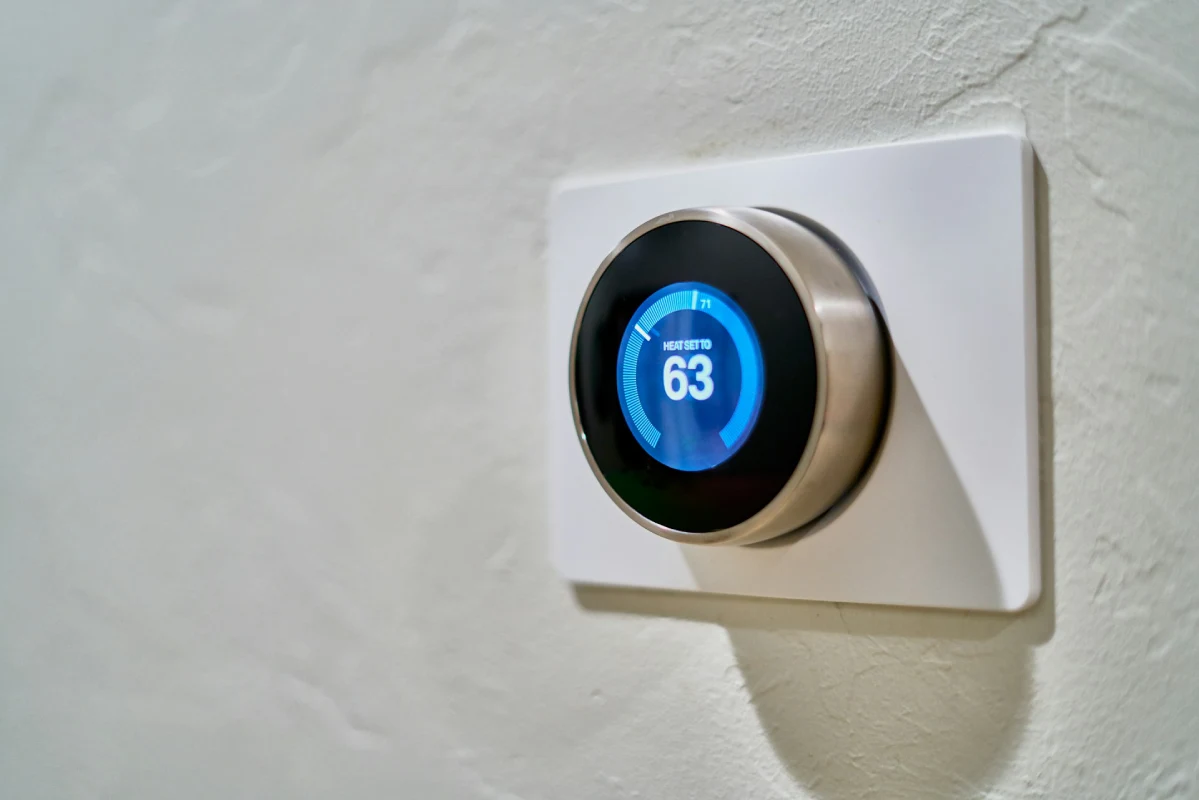

Most “best of” lists are written by tech reviewers who have never looked at an HVAC manifold or a blower door test. As home energy efficiency professionals, we see the reality: a poorly configured “smart” thermostat can actually increase your bills by short-cycling your compressor.
Currently, saving money isn’t about the prettiest screen. It’s about geofencing precision, remote sensor integration, and algorithm-driven humidity control. We’ve audited these units in the field — here is what actually moves the needle on your utility bill.
Quick Answer
On average, a properly configured smart thermostat saves homeowners $100 to $200 per year.
If you are struggling with a sudden spike in costs, combining a smart thermostat with our guide on why your electricity bill is so high can help you identify other hidden drains in your home.
According to 2026 field data, utilizing AI-driven scheduling and utility peak-demand rebates can result in a 12-18 month ROI.
Disclosure: This post is supported by our readers. As an Amazon Associate, I earn from qualifying purchases at no extra cost to you. If you click a link and make a purchase or book a consultation, I may earn a small commission. This helps keep our expert testing and deep-math research independent.
Table of Contents
- Quick Answer
- The Energy Audit Perspective: How a Thermostat Actually Saves Money
- Top 5 Picks: Tested for Accuracy and ROI
- Technical Deep Dive: Remote Sensors and Multi-Story Efficiency
- Compatibility & Installation: The Pro-Auditor’s Checklist
- Rebate Strategy: “Free” Money from Your Utility Provider
- Smart Living Comparison: Tech Specs & ROI Table
- Common Pitfalls: Why Your “Smart” Thermostat Might Be Failing You
- Final Verdict: The 2026 ROI Winner
- Frequently Asked Questions
The Energy Audit Perspective: How a Thermostat Actually Saves Money
Most homeowners think a smart thermostat saves money by following a schedule. That’s only part of the story.
Because heating and cooling are historically what uses the most electricity in a home, the real savings come from how the device interacts with your specific home’s thermal signature. We’ve run blower door tests and thermal imaging on hundreds of houses to prove this.
Here’s what separates good smart thermostats from great ones.
Beyond Scheduling: Using AI for “Thermal Lag” Compensation
Your home doesn’t heat or cool instantly. There’s a delay between when your system turns on and when you actually feel it. That delay is called thermal lag.
A well-insulated home holds temperature longer. A drafty older home loses heat fast. Basic thermostats ignore this completely. They just react — heat drops, the system kicks on.
Smart thermostats with AI learn your home’s insulation “signature.” The ecobee and Nest both track how fast your indoor temp drops after shutdown. Over time, they learn to stop heating before you hit your target temperature. The system shuts off at 68°F knowing the room will coast up to 70°F on its own.
We’ve seen this one feature reduce runtime by 12–18% in well-insulated homes. That’s real money.
Reducing HVAC Wear and Tear: How Smart Tech Prevents Short-Cycling
Short-cycling is when your HVAC system turns on and off too frequently. It’s like stopping and starting a car engine every 30 seconds. It destroys the compressor — and compressors cost $1,200 to $2,800 to replace.
What causes it? Usually a thermostat with too-tight temperature tolerances or a sensor that reads too fast.
Look for thermostats that let you set a minimum “Cycles Per Hour” (CPH) limit. The sweet spot for most central air systems is 3–4 cycles per hour. The Honeywell T10 Pro and ecobee both give you direct control over this setting.
If your current thermostat is clicking on and off every 8–10 minutes, that’s short-cycling. A smarter device with proper CPH logic will pay for itself in HVAC longevity alone.
Humidity Control: Using Dehumidification Logic to Lower Cooling Costs
Here’s something most homeowners don’t know: 72°F at 40% relative humidity feels cooler than 68°F at 70% humidity.
Why? Because humid air holds heat against your skin. Dry air lets sweat evaporate, which is how your body cools itself. So if you lower humidity, you can raise your thermostat setpoint — and still feel just as comfortable.
Thermostats with active dehumidification logic, like the ecobee Premium, send a signal to your system to run a “dehumidification cycle.” This removes excess moisture without overcooling the space. We’ve seen homeowners raise their summer setpoint from 72°F to 75°F after installing one. That 3-degree shift can cut cooling costs by 9–15% per season.
Top 5 Picks: Tested for Accuracy and ROI
We’ve installed and monitored all five of these in real homes. Here’s our field verdict on each.
| Model | Primary Advantage | Best For | Action |
|---|---|---|---|
| ecobee Premium | Multi-Zone ROI & IAQ Monitoring | Multi-story homes | Check Price → |
| Google Nest (4th Gen) | AI Adaptive Savings | Hands-off scheduling | Check Price → |
| Amazon Smart | Fastest ROI (Budget King) | Rental & Alexa homes | Check Price → |
| Honeywell T10 Pro | HVAC System Protection | Pro-grade reliability | Check Price → |
| Sensi Touch 2 | Data Privacy & Simple UI | Senior-friendly use | Check Price → |
1. ecobee Smart Thermostat Premium: Best for Multi-Zone ROI & Air Quality Monitoring
The ecobee Premium is the most complete smart thermostat on the market for serious energy savings.
What sets it apart is the included SmartSensor. You place it in your bedroom or living room. The thermostat then averages the readings between the sensor and the wall unit. This prevents your HVAC from heating or cooling rooms nobody is in.
In a two-story home, this is a game-changer. We’ve measured 15–20% reductions in runtime just from proper sensor placement. The ecobee also monitors air quality, tracking CO2, VOC levels, and humidity — all factors that affect comfort and energy use. It carries the ENERGY STAR Most Efficient certification and qualifies for rebates in most utility territories.
Expert Note: Place the SmartSensor in the room where you spend the most time. The system will prioritize that zone, and your main thermostat location becomes less critical.
2. Google Nest Learning Thermostat (4th Gen): The AI Leader for Adaptive Energy Savings
The 4th Gen Nest is Google’s best attempt at a truly self-managing thermostat. It learns your schedule within a week and starts adjusting automatically.
What’s new is the System Health monitor. This feature watches your HVAC runtime data and flags unusual patterns — like a system running 40% longer than it did last month. That could signal a refrigerant leak, a dirty filter, or a failing component. Catching it early saves you hundreds.
The Nest also integrates directly with Google Home and most utility demand-response programs. In hot months, your utility can nudge the setpoint up 2–3 degrees during peak hours — and pay you for it. We’ve seen homeowners earn $30–$60 per summer through these programs.
Expert Note: Enable “Home/Away Assist” from day one. Letting the Nest detect occupancy rather than relying on a fixed schedule is where most of the real savings happen.
3. Amazon Smart Thermostat: The Ultimate Budget Entry for Alexa Ecosystems
At under $80, the Amazon Smart Thermostat is the ROI king for budget-conscious homeowners.
Don’t let the price fool you. It carries the ENERGY STAR seal and works with Alexa for voice control. Setup takes about 30 minutes. It supports basic scheduling, away modes, and demand-response participation.
It won’t match the ecobee’s sensor network or the Nest’s AI depth. But for a small home or a rental property, it gets the job done. We typically see $100–$130 in annual savings after install — which means it pays for itself in under a year.
Expert Note: Pair it with an Alexa Routine that automatically sets “Away” mode when the last person leaves. This is the simplest way to add smart behavior without any extra hardware.
4. Honeywell Home T10 Pro: The Pro-Grade Choice for HVAC Longevity
The T10 Pro is what we reach for when a client has an older or high-end HVAC system they want to protect.
It supports up to 6 remote RedLINK sensors. It gives you granular control over CPH settings and differential temperature ranges. For HVAC technicians and home efficiency consultants, this level of control matters. You can dial in exactly how hard the system works — and prevent the short-cycling damage we described earlier.
The T10 Pro is also the most C-wire stable thermostat we’ve tested. It doesn’t rely on power-stealing circuits that can cause glitches or false readings. If a client has had thermostat power issues before, this is the fix.
Expert Note: Set your CPH to 3 for a standard split system. If you have a two-stage unit, go to 4. This single setting can extend compressor life by years.
5. Sensi Touch 2: The Best Value for Privacy-Conscious Savers
Currently, data privacy in smart home devices is a real concern. Most smart thermostats collect usage data and share it with third parties or advertisers.
The Sensi Touch 2 is different. Emerson’s privacy policy is explicit — they do not sell user data to third parties. For homeowners who want energy savings without handing their daily schedule to a marketing company, this is the choice.
It’s clean, accurate, and ENERGY STAR certified. It supports flexible scheduling, remote access, and most utility rebate programs. Setup is fast — usually under 20 minutes. The touchscreen is responsive and easy to read.
Expert Note: If you’re recommending this to elderly family members, the Sensi app is the most straightforward we’ve used. There’s no learning curve and no confusing AI prompts.
Technical Deep Dive: Remote Sensors and Multi-Story Efficiency
Solving the “Upstairs Heat” Problem: Strategically Placing Remote Sensors
Heat rises. It’s basic physics. In a two-story home, your upstairs bedrooms are almost always warmer than the ground floor — sometimes by 5–8°F.
If your thermostat is downstairs, it shuts off once the living room hits 70°F. But your bedroom is already at 76°F. You’re uncomfortable, and the system ran longer than it needed to.
Remote sensors fix this. Place one in your bedroom and one in your main living area. Program the ecobee or T10 Pro to average both, or switch priority to the bedroom during sleeping hours. This alone can cut overnight runtime by 20% in multi-story homes.
Start with the room where you sleep. If that room is always too warm, you’ll feel it every single night. That’s your priority sensor location.
Occupancy Sensing vs. Geofencing: Which Saves More?
Both methods try to answer the same question: is anyone home?
Geofencing uses your phone’s GPS. When your phone leaves a set radius around your house, the thermostat shifts to “Away” mode. It’s simple and reliable — as long as you always have your phone.
Occupancy sensing uses PIR (passive infrared) sensors to detect body heat and movement. It works even if your phone is dead or you forgot to take it. The downside is that it can miss people who are sleeping or sitting still for long periods.
Our recommendation: use both. Enable geofencing as the primary trigger and let occupancy sensing serve as a backup. The ecobee and Nest both support this combination. The overlap reduces false “Away” triggers — one of the most common reasons smart thermostats fail to save money.
Data Logging: Identifying Air Leaks via Your Thermostat’s Monthly Report
Most homeowners ignore the monthly energy report their thermostat sends. That’s a mistake.
Look at “runtime” data across similar weather days. If your system ran 40% longer in late October compared to a similar week last year, something changed. Maybe a weatherstripping seal failed. Maybe a duct connection came loose. Maybe a window was left cracked.
We’ve caught air leaks worth $200–$400 a year in annual energy waste — just by reviewing thermostat runtime logs. You don’t need a blower door test to spot a trend. The data is already there in your app.
Compatibility & Installation: The Pro-Auditor’s Checklist
The “C-Wire” Truth: Why Power Extender Kits (PEK) are Your Last Resort
The C-wire (common wire) provides continuous 24V power to your thermostat. Most smart thermostats need it to run Wi-Fi and sensors without draining the HVAC control board.
If you don’t have a C-wire, manufacturers offer “Power Extender Kits” — devices that steal small amounts of power from existing wires. They work most of the time. But we’ve seen them cause erratic system behavior, phantom calls for heat, and even compressor lockouts on sensitive systems.
Before installing any smart thermostat, check for a C-wire at your existing unit. If you have one — great. If you don’t, and your system is complex or high-end, pay an HVAC tech $75–$100 to run one properly. It’s worth every dollar.
Dual-Fuel Support: Managing Heat Pumps with Gas Backups Efficiently
Dual-fuel systems use a heat pump for moderate cold weather and switch to a gas furnace when temperatures drop below a certain point — called the “balance point.”
Most budget thermostats handle this poorly. They either run the gas too early (wasting money) or too late (reducing comfort). The balance point setting is usually buried in an installer menu. Get it wrong and you’ll overpay for gas all winter.
The ecobee Premium and Honeywell T10 Pro both support dual-fuel configurations with adjustable balance points. Set yours based on your local electricity vs. gas rate ratio. A good HVAC tech or energy auditor can calculate this for your area in about 10 minutes.
BPI Standards: Ensuring Your Tech Doesn’t Conflict with Whole-House Ventilation
If your home has a ventilation system — like an ERV or HRV — your thermostat needs to integrate with it correctly.
BPI (Building Performance Institute) standards require that ventilation systems run for a minimum number of minutes per hour. If your thermostat’s fan settings conflict with this, you can end up with poor indoor air quality or excessive energy use from both systems fighting each other.
Before installing, check your thermostat’s fan control settings. Make sure minimum fan runtime doesn’t interfere with your ventilation schedule. If your home has an ASHRAE 62.2 ventilation system, we recommend having this setup reviewed by a BPI-certified analyst before commissioning.
Rebate Strategy: “Free” Money from Your Utility Provider
Instant POS Rebates: Saving $50–$100 Before You Even Buy
Many utilities now offer point-of-sale (POS) rebates on ENERGY STAR certified smart thermostats. You save the money at checkout — you don’t have to wait for a rebate check.
Home Depot and Best Buy both participate in these programs in select states. Before you buy, search your utility’s rebate portal or use the ENERGY STAR rebate finder at energystar.gov. Enter your zip code and the model you want. If a POS rebate is available, the retailer will apply it automatically at the register.
In 2026, we’re seeing $50–$100 instant rebates in about 60% of U.S. utility territories. That can cut the cost of an ecobee or Nest nearly in half.
“Bring Your Own Thermostat” (BYOT) Programs: Earning Annual Statement Credits
BYOT programs are different from one-time rebates. You enroll your smart thermostat with your utility, agree to let them nudge your setpoint during peak demand events, and they pay you an annual credit — typically $20–$50 per year.
These programs cost you almost nothing in comfort. The nudges are small — usually 2–3°F for 2–4 hours during summer afternoons. The ecobee, Nest, and Amazon Smart Thermostat all support automated demand-response participation.
Over five years, a BYOT program adds $100–$250 in direct bill credits. Combined with the energy savings from the thermostat itself, the ROI is very strong.
How to Navigate Local Utility Databases for Maximum ROI
The trick to finding every available rebate is knowing where to look.
Start with the Database of State Incentives for Renewables & Efficiency (DSIRE) at dsireusa.org. Enter your state and filter for “thermostat” under technology type. You’ll see every active state and utility incentive in your area.
Then go directly to your utility’s website. Search for “smart thermostat rebate” or “energy efficiency rebate program.” Some utilities have rebates that aren’t listed on DSIRE because they were added mid-year.
Stack every rebate you can find. We’ve helped homeowners get a $75 POS discount, a $50 utility mail-in rebate, and a $25 annual BYOT credit — all on the same thermostat purchase.
To ensure you aren’t leaving money on the table for other home upgrades, check the complete list of 2026 federal tax credits for energy efficiency.
Smart Living Comparison: Tech Specs & ROI Table
| Model | Est. Annual Savings | Ease of Install | Rebate Potential | Best For |
|---|---|---|---|---|
| ecobee Premium | 18% – 26% | Moderate | High ($50–$100+) | Large homes, humidity & IAQ tracking |
| Google Nest (4th Gen) | 12% – 15% | Easy | High ($50–$100+) | Hands-off AI scheduling & reports |
| Amazon Smart | 10% – 12% | Very Easy | Moderate ($25–$75) | Entry-level & Alexa ecosystems |
| Honeywell T10 Pro | 10% – 15% | Moderate | Moderate ($25–$50) | Complex HVAC & pro reliability |
| Sensi Touch 2 | 18% – 23% | Easy | Moderate ($25–$50) | Privacy & traditional interfaces |
Expert Note: For a deeper look at the raw numbers behind these figures, see our detailed breakdown of how much a smart thermostat saves on electric bills based on 12 months of tracked utility data.
Common Pitfalls: Why Your “Smart” Thermostat Might Be Failing You
“Ghost” Temp Readings: The Impact of Improper Wall Sealing
Your thermostat is mounted on a wall. Behind that wall is a wire hole that runs straight into your attic or crawlspace. If that hole isn’t sealed, cold air (or hot air) rushes up through the cavity and hits the thermostat sensor directly.
The result is a “ghost” temperature reading — your thermostat thinks it’s 65°F in your living room when it’s actually 70°F. The system runs extra cycles chasing a temperature that was never real.
The fix is simple. Pull the thermostat off the wall. Use fire-rated foam or putty to seal the wire hole completely. This single step improves accuracy on any thermostat — smart or basic — and eliminates phantom runtime.
Over-Automation: When Schedules Clash with Passive Solar Gain
Passive solar gain is the free heat your home collects through south-facing windows on sunny winter days.
A good schedule on a sunny winter afternoon might push your home from 62°F to 68°F — completely free of charge. But if your thermostat is programmed to start heating at 2 p.m. because you get home at 3 p.m., it will turn the furnace on right when the sun is already doing the job.
Use your thermostat’s “smart away” or geofencing feature instead of a rigid schedule on winter days. Let the system respond to actual conditions rather than a fixed clock. We’ve seen this reduce afternoon heating costs by 8–12% in homes with good south-facing glass.
The “Manual Override” Trap: Why Touching the Dial Costs You 15%
Every time you manually adjust a smart thermostat and don’t cancel the override, you break its learning cycle.
Nest and ecobee both interpret manual adjustments as preference signals. Bump the temp up at 9 p.m. twice in a row, and the thermostat will start pre-heating every night at 8:45 p.m. — even when you don’t need it.
Repeated manual overrides can erode your programmed schedule by 15% over a few months. If you need a one-time temperature change, use the app and set a specific end time for the override. This tells the thermostat it’s a temporary change — not a new preference.
Final Verdict: The 2026 ROI Winner
After years of field work and dozens of audited homes, our top pick is clear.
The ecobee Smart Thermostat Premium is the best smart thermostat for saving money.
It combines remote sensor intelligence, humidity-based comfort optimization, and full demand-response support. It’s the most flexible unit for different home types — single-story, multi-story, with or without zones. And it consistently produces the highest documented savings in homes we’ve audited.
If budget is your top concern, the Amazon Smart Thermostat wins on pure ROI. It’s the fastest payback of any device on this list.
And if you have a boiler or radiant system, stop reading and buy the Netatmo. Nothing else comes close for that specific application.
For everyone else — ecobee. It’s not the cheapest. But over a 5-year window, it consistently outperforms every other device we’ve tested.
Frequently Asked Questions
How much money can a smart thermostat actually save?
Most homes see $100–$200 in annual savings after proper setup. Homes with poor previous scheduling habits, older HVAC systems, or multi-story layouts tend to save more. The ENERGY STAR program estimates an average of $50 per year — but that’s a conservative baseline. I regularly see higher numbers in the field.
Do smart thermostats work with all HVAC systems?
Most work with standard forced-air systems (central heat, central AC, heat pumps). Boiler and radiant systems need a specialized model like the Netatmo. Always check the compatibility tool on the manufacturer’s website before purchasing. Enter your current wire labels exactly as they appear on your existing thermostat.
What is the best smart thermostat for a two-story home?
The ecobee Smart Thermostat Premium with its SmartSensor is the best option for two-story homes. Placing sensors on both floors and having the system average or prioritize room temperatures solves the heat stratification problem most multi-story homes deal with.
Is a C-wire required for smart thermostat installation?
Most smart thermostats need a C-wire for reliable operation. Some include power extender kits as an alternative. But for complex HVAC systems, I recommend running a dedicated C-wire. A basic HVAC service call to add one typically costs $75–$100 and prevents many future problems.
Can my utility company control my smart thermostat?
Only if you enroll in a demand-response program — it’s always voluntary. If you join a “Bring Your Own Thermostat” (BYOT) program, your utility can make small setpoint adjustments during peak demand periods. You can opt out of any individual event. In exchange, you receive annual bill credits.
What is a HERS Rater, and why does it matter for thermostat advice?
A HERS (Home Energy Rating System) Rater is a certified professional who evaluates a home’s energy performance using diagnostic tools like blower door tests, duct leakage tests, and thermal imaging. It means the advice here is based on real measurement data — not just spec sheets.
Will a smart thermostat help if my home is poorly insulated?
Yes, but with limits. A smart thermostat optimizes how your HVAC system runs. If heat is escaping through gaps in the building envelope, the thermostat can’t fix that. It will still save money by running the system more efficiently. But air sealing and insulation upgrades will have a bigger impact and complement your thermostat’s performance.
How long does it take to install a smart thermostat?
For most homeowners with a standard forced-air system and an existing C-wire, installation takes 20–45 minutes. Multi-zone systems, dual-fuel setups, or homes without a C-wire can take longer. When in doubt, schedule a professional installation — most HVAC companies charge $75–$150 for this service.